라이브러리를 설치하고 나서,
Examples->TFT_eSPI->320x240 안의 샘플 코드들을 공부한다.
FreeFontDemo, float test, graphictest one lib.. 등을 공부한다.
다음 유튜브 채널에서 TFT_eSPI로 검색해서, part1~3 까지 공부한다.
https://www.youtube.com/@VolosProjects
Volos Projects
Hello! On this chanell You can find many Arduino and electronic projects. Under each video You can also find code and schematic. I hope that You will find something interestig for yourself . Fell free to subscribe ! Have a nice day!
www.youtube.com
이 채널에서 sprite로 검색하면 동영상 몇 개가 나오는데 마저 공부한다.
이까지 공부하면 기본기는 된 것이다.
https://www.youtube.com/watch?v=R-qFKemDFyM
#include <TFT_eSPI.h>
#include "home.h"
#include "font.h"

TFT_eSPI  tft = TFT_eSPI();

void setup() {
  tft.init();
  tft.fillScreen(TFT_BLACK);
  tft.setSwapBytes(true);

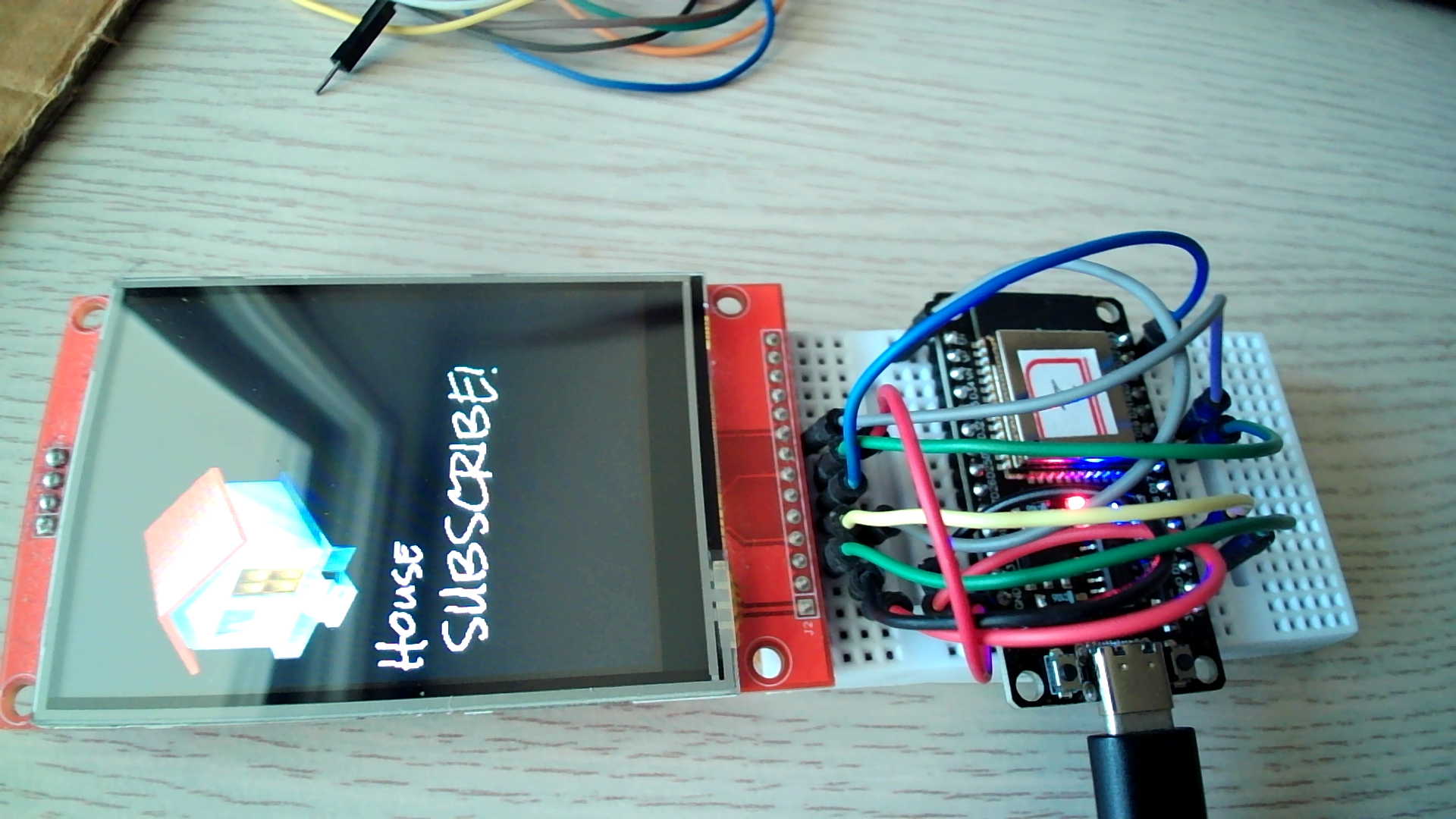
  tft.pushImage(6, 30, 128, 128, house);
  tft.setFreeFont(&Rock_Salt_Regular_20);

  tft.drawString("House", 6, 165);
  tft.drawString("SUBSCRIBE!", 16, 200);
}

void loop() {
}
https://www.youtube.com/watch?v=U4jOFLFNZBI

#include <TFT_eSPI.h>
#include "arrow.h"

TFT_eSPI tft = TFT_eSPI();
TFT_eSprite background = TFT_eSprite(&tft);
TFT_eSprite arrowSprite = TFT_eSprite(&tft);
TFT_eSprite txtSprite = TFT_eSprite(&tft);

void setup() {
  Serial.begin(115200);
  delay(1000);

  tft.init();
  tft.setRotation(1);
  tft.setSwapBytes(true);
  tft.fillScreen(TFT_PURPLE);

  background.setColorDepth(8);
  arrowSprite.setColorDepth(8);
  txtSprite.setColorDepth(8);

  if (background.createSprite(320, 240) == NULL) {
    Serial.println("Error: 'background' sprite not created, not enough free RAM!");
    return;
  }
  Serial.println("Success: 'background' sprite created!");
  //background.setSwapBytes(true);

  if (arrowSprite.createSprite(96, 96) == NULL) {
    Serial.println("Success: 'arrow' sprite created!");
    return;
  }
  arrowSprite.setSwapBytes(true);

  if (txtSprite.createSprite(80, 80) == NULL) {
    Serial.println("Success: 'txt' sprite created!");
    return;
  }
  //txtSprite.setSwapBytes(true);
  txtSprite.setTextColor(TFT_WHITE, TFT_BLACK);
}

int x_pos = 20;

void loop() {
  background.fillSprite(TFT_PURPLE);
  txtSprite.fillSprite(TFT_BLACK);
  txtSprite.drawString(String(x_pos), 0, 0, 6);
  arrowSprite.pushImage(0, 0, 96, 96, arrow);
  arrowSprite.pushToSprite(&background, x_pos, 40, TFT_BLACK);
  txtSprite.pushToSprite(&background, 100, 50, TFT_BLACK);

  background.pushSprite(0, 0);

  x_pos++;
  if (x_pos > 330) {
    x_pos = -100;
  }

  //delay(50);
}
https://www.youtube.com/watch?v=oqBa_ptBmLU

#include <TFT_eSPI.h>

TFT_eSPI tft = TFT_eSPI();
TFT_eSprite back = TFT_eSprite(&tft);
TFT_eSprite needle = TFT_eSprite(&tft);

void setup() {
  tft.init();
  tft.fillScreen(TFT_BLACK);
  tft.setPivot(85, 85);

  needle.setColorDepth(8);
  needle.createSprite(20, 80);
  back.setColorDepth(8);
  back.createSprite(170, 170);
}

int angle = 0;

void loop() {
  back.fillSprite(TFT_BLACK);
  back.fillCircle(85, 85, 85, TFT_SILVER);
  needle.fillSprite(TFT_BLACK);
  needle.drawWedgeLine(10, 0, 10, 40, 1, 10, TFT_RED);
  needle.drawWedgeLine(10, 40, 10, 80, 10, 1, TFT_BLUE);
  needle.fillCircle(10, 40, 10, TFT_WHITE);
  needle.pushRotated(&back, angle, TFT_BLACK);
  back.pushSprite(0, 0);

  angle++;
  if (angle >= 360) angle = 0;
}
------------------------------
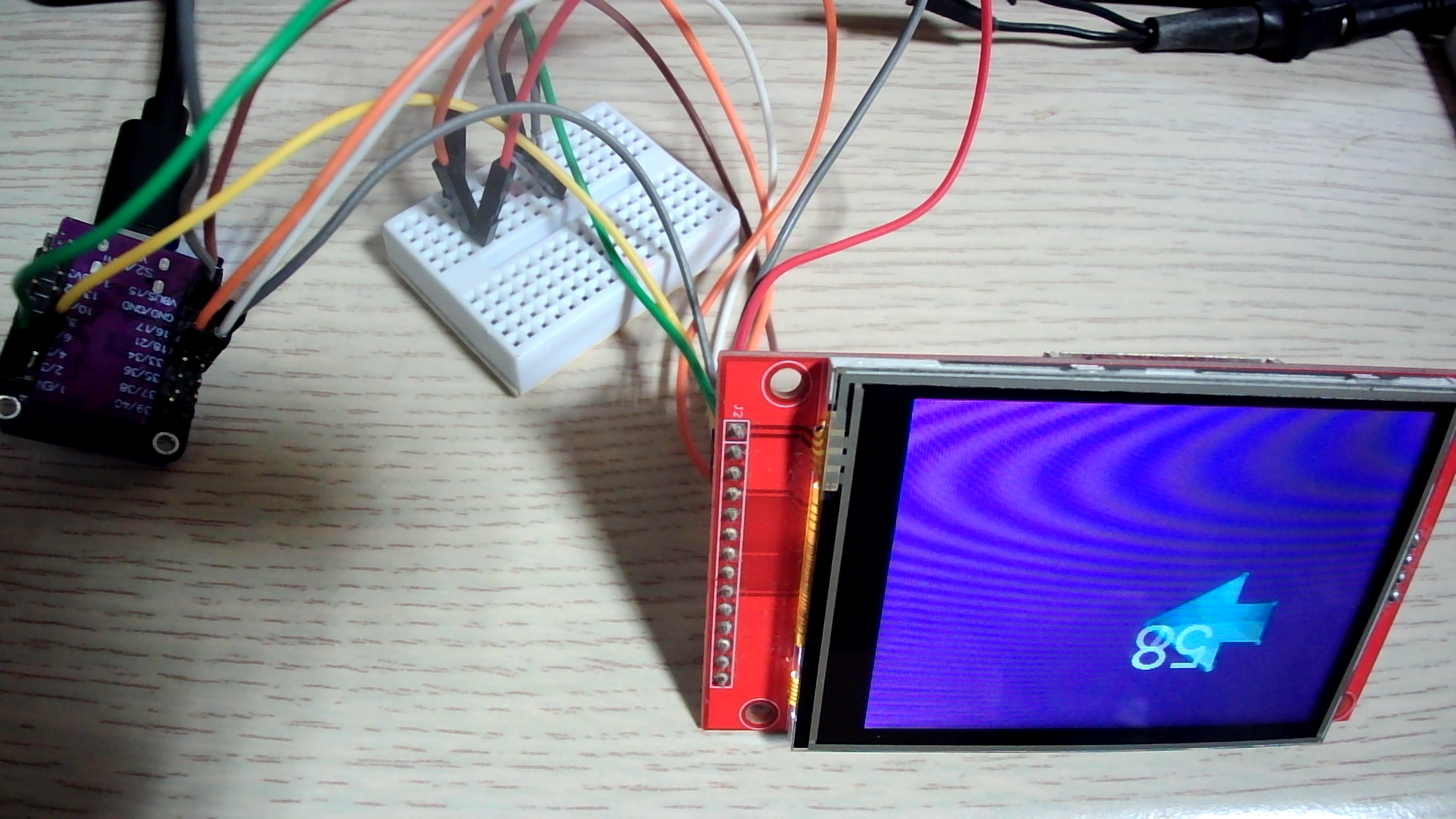
ESP32 S2 mini에서도 잘된다. 아두이노 IDE 설정에서 PSRAM을 enable 해두면 추가 2GB 외부램을 사용할 수 있어서, 어지간해서는 메모리 부족현상이 일어나지 않을 것이다.
기본 설정에 없는 핀이 있어서(19, 23번이 없어서) 33, 34번으로 대신했다. TFT의 RST는 보드의 EN에 꽂았다. 아래는 수정된 User_Setup.h.
// For ESP32 Dev board (only tested with ILI9341 display)
// The hardware SPI can be mapped to any pins

#define TFT_MISO 33 //19
#define TFT_MOSI 34 //23
#define TFT_SCLK 18
#define TFT_CS   15  // Chip select control pin
#define TFT_DC    2  // Data Command control pin
#define TFT_RST   4  // Reset pin (could connect to RST pin)
#define TFT_RST  -1  // Set TFT_RST to -1 if display RESET is connected to ESP32 board RST
  // background.setColorDepth(8);
  // arrowSprite.setColorDepth(8);
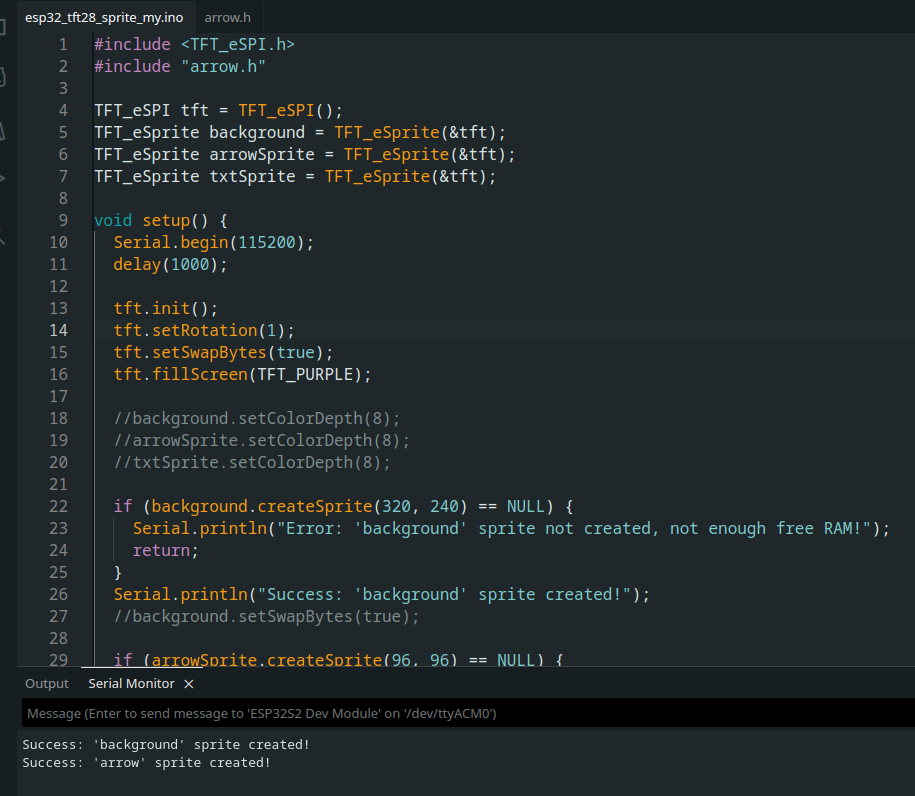
8비트 설정을 주석처리하고도 잘된다.
브레드보드에 TFT를 설치했다가, 접촉 불량으로 인해 오동작해서, 보드에 직결했다.
#include <TFT_eSPI.h>
#include "arrow.h"

TFT_eSPI tft = TFT_eSPI();
TFT_eSprite background = TFT_eSprite(&tft);
TFT_eSprite arrowSprite = TFT_eSprite(&tft);
TFT_eSprite txtSprite = TFT_eSprite(&tft);

void setup() {
  Serial.begin(115200);
  delay(1000);

  tft.init();
  tft.setRotation(1);
  tft.setSwapBytes(true);
  tft.fillScreen(TFT_PURPLE);

  //background.setColorDepth(8);
  //arrowSprite.setColorDepth(8);
  //txtSprite.setColorDepth(8);

  if (background.createSprite(320, 240) == NULL) {
    Serial.println("Error: 'background' sprite not created, not enough free RAM!");
    return;
  }
  Serial.println("Success: 'background' sprite created!");
  //background.setSwapBytes(true);

  if (arrowSprite.createSprite(96, 96) == NULL) {
    Serial.println("Error: 'arrow' sprite not created, not enough free RAM!");
    return;
  }
  Serial.println("Success: 'arrow' sprite created!");

  arrowSprite.setSwapBytes(true);

  if (txtSprite.createSprite(80, 80) == NULL) {
    Serial.println("Error: 'txt' sprite not created!");
    return;
  }
  //txtSprite.setSwapBytes(true);
  txtSprite.setTextColor(TFT_WHITE, TFT_BLACK);
}

int x_pos = 20;

void loop() {
  background.fillSprite(TFT_PURPLE);
  txtSprite.fillSprite(TFT_BLACK);
  txtSprite.drawString(String(x_pos), 0, 0, 6);
  arrowSprite.pushImage(0, 0, 96, 96, arrow);
  arrowSprite.pushToSprite(&background, x_pos, 40, TFT_BLACK);
  txtSprite.pushToSprite(&background, 100, 50, TFT_BLACK);

  background.pushSprite(0, 0);

  x_pos++;
  if (x_pos > 330) {
    x_pos = -100;
  }

  //delay(50);
}
* 화면이 조금 어두워지면서 빠르게 flickering이 생기는데, 외부 5V 전원을 공급하니 깨끗하게 잘 나온다. esp32 S2 mini 보드가 보드 쪽에서 전력을 조금 더 사용하는 모양이다.